
Baht (THB) to Canadian Dollar (CAD) converter
Track the exchange rate
of the baht / canadian dollar exchange rate
- Open
- …
- High
- …
- Low
- …
Rates shown for information only. Sources: European Central Bank daily reference rates (via Frankfurter) and CurrencyLayer.
- Over one year
- − 1.6 %
- Over 3 months
- − 1.1 %
- Over 30 days
- + 1.2 %
Where the rate sits over one year
0.04239
One-year low 0.04161 One-year high 0.04448
Figures computed on 04.10.2026 from European Central Bank reference rates.
The technical picture
of the THB / CAD rate
Over twelve months, the THB / CAD rate has given up 1.6 %. It currently sits in the lower part of that range.
The THB / CAD rate has turned around: down over three months, it has been climbing back for the past thirty days. The month runs against the quarter, which usually marks a turning point rather than a passing move.
Today’s exchange rate
THB to CAD
THB to CAD conversion table

Conversion THB - CAD

Conversion CAD - THB
Our popular THB converter pairs










Our popular CAD converter pairs









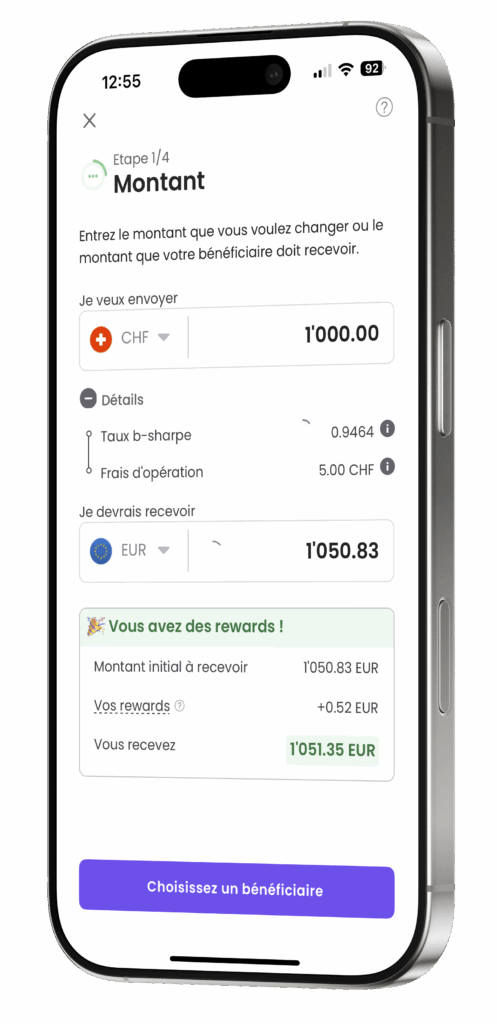
Convert your THB to CAD
with b-sharpe
- Account creation
- Sending funds
- Delivery within 24 hours
excluding weekends and public holidays
- NO account opening fees
- NO account management fees
- NO account closure fees
Frequently asked questions about THB / CAD exchange
What is the b-sharpe THB / CAD currency converter for?
The b-sharpe THB / CAD currency converter displays the interbank market rate in real time, updated every 5 minutes. This is the gross rate without any added fees, used as a reference to evaluate the real value of your exchange. You can also view the 30-day graphical evolution to visualise rate volatility. To convert your THB to CAD at the best rate, visit change your currency
How do I use the b-sharpe THB / CAD currency converter?
Enter your amount in THB, choose CAD as the target currency and view the market rate in real time. If you want to convert to another currency, simply change the currencies directly on the converter.
Is the THB / CAD rate updated in real time?
Yes, the THB / CAD rate is updated in real time according to the interbank market. It reflects market conditions at the time of your simulation. Once your conversion is started, you can lock it for 48 hours.